Please watch this video to support our content network 🙂
Are you getting File has been downloaded incorrectly! error installing MinGW on Windows 10 or 11?
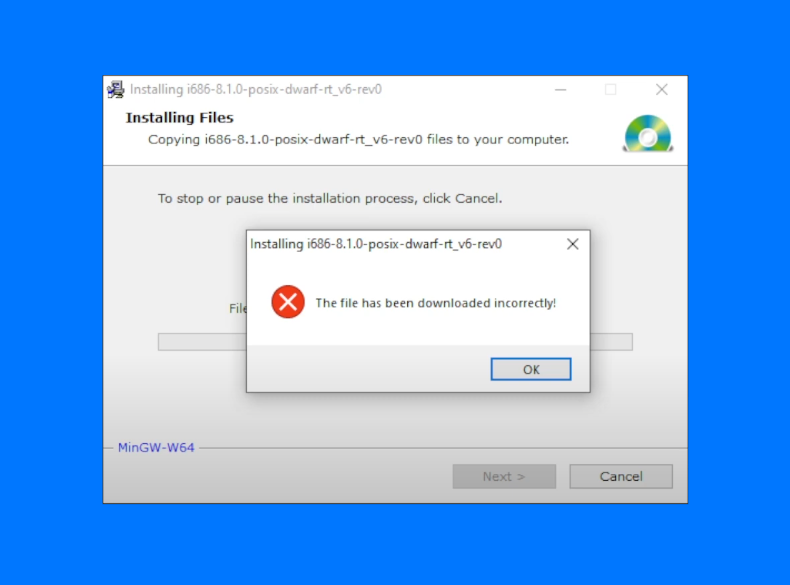
Whenever you install MinGW on Windows 10, there is a possibility that you will run into an error during installation process: "File has been downloaded incorrectly!"
Using official installers for software development tools isn't always ideal. You may be required to run the installer as Administrator. Or your Windows user might not have access to system settings. Sometimes installation file is corrupt (however I really doubt that this is the reason when running this MinGW installer). Errors like this can creep at the most unexpected time.
This video explains the process to fixing the incorrect download error step by step.
MinGW also comes as a Zip archive. Download the MinGW archive and extract it into installation folder.
Solution to MinGW installer's file has been downloaded incorrectly error.
Bottom Line
This can be due to corrupt file, some OS security issue, or because you are not running the installer as Administrator. However, even running the MinGW's msi file as admin, you might still experience this file error.
How to fix WinGW file downloaded incorrectly error
- Download MinGW zip archive.
- SourceForce link: https://sourceforge.net/projects/mingw-w64/files/
- Download x86_64-win32-sjlj archive (or one that matches your OS.)
- Unzip files and copy them to C:\mingw64
- Add C:\mingw64 to Environment Variables in Windows 10
The "File downloaded incorrectly" error can be avoided by following these steps.
MinGW, a contraction of "Minimalist GNU for Windows", is a minimalist development environment for native Microsoft Windows applications. MinGW provides a complete Open Source programming tool set which is suitable for the development of native MS-Windows applications, and which do not depend on any 3rd-party C-Runtime DLLs.
MinGW does not depend on the Microsoft C-Runtime DLLs. As such, it is possible to compile and link applications with MinGW without the need for any additional libraries. When used in conjunction with the Small Device C Compiler (SDCC), it allows one to develop very efficient embedded systems applications targeting a wide range of devices.
MinGW includes:
- A port of the GNU Compiler Collection (GCC), including C, C++, ADA and Fortran compilers;
- GNU Binutils for Windows (assembler, linker, archive manager, etc.);
- A command-line installer,mingw-get, for obtaining and managing MinGW installation packages;
- API documentation in HTML format;
- A utility, gdbmigrator(), providing automated migration of code written against Microsoft's
Please watch this video to support our content network 🙂