Free Discord and YouTube Tools: 7 Toys That Work Right Now
Hey there, toolbox champion, your new favourite bookmark just loaded.
Here is a whole toolbox of free Discord and YouTube tools, ready to use the second this page loads.
Pick one, play with it, and nobody asks you to sign up for anything.
Short answer: GhostTogether has 7 free browser tools for Discord and YouTube: an avatar and banner cropper with a Nitro profile preview, a YouTube theater link maker, a soundboard and voice changer, a timestamp generator, a colored text generator, a thumbnail downloader and an emoji and sticker maker. None needs a login, and your files never get uploaded.
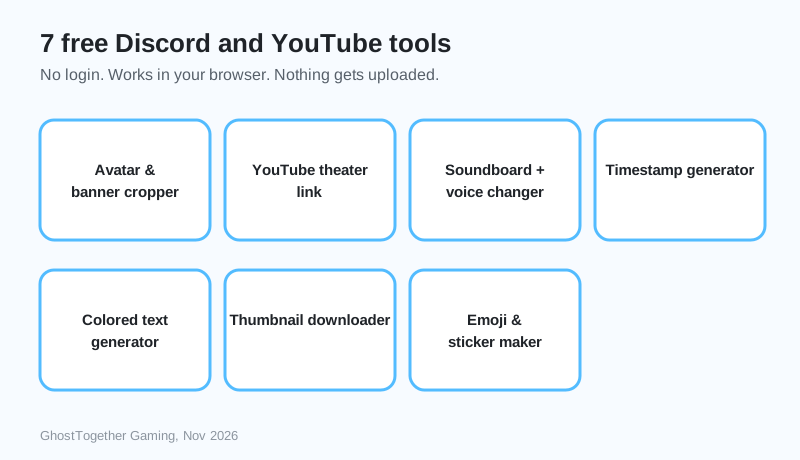
- 7 tools, all free, all working in a normal browser tab.
- 0 logins: open the page and use the tool.
- 0 uploads: pictures, sounds and text stay on your own device.
Which free Discord and YouTube tools are there?
There are 7 tools, and each one lives inside its own short guide, so you get the tool and the know-how in one place.
| Tool | What it does | Guide |
|---|---|---|
| Avatar & banner cropper | Crops your picture to Discord’s avatar circle and 5:2 banner, with a Nitro colour preview | Open the cropper |
| YouTube theater link maker | Turns a YouTube link into a clean full-window theater link | Open the theater maker |
| Soundboard + voice changer | 12 made-in-the-browser sounds and 7 live voices | Open the soundboard |
| Timestamp generator | Makes Discord’s <t:…> codes that show in everyone’s own time zone | Open the timestamp maker |
| Colored text generator | Paints your Discord message with ansi colours | Open the color maker |
| Thumbnail downloader | Shows all 5 YouTube thumbnail sizes and saves them | Open the downloader |
| Emoji & sticker maker | Makes a 128 x 128 emoji and a 320 x 320 sticker | Open the emoji maker |
Do I need an account to use these tools?
No account is needed for any of the 7 GhostTogether tools. Every tool runs in your browser with JavaScript, so it works the moment the page opens, on a phone, a tablet or a computer.
If you want a whole server where these kinds of things are built in, a free GhostTogether account gets you one.
Are these tools safe to use?
The GhostTogether tools never send your pictures, voice or text anywhere. The browser does all the work on your own device, which is why they are fast and why nothing is stored.
Honestly, building these was way too much fun, especially the air horn.
The sizes the tools use come straight from Discord. Discord’s help center says emoji can be uploaded in sizes up to 128x128 pixels, but they will be resized to 32x32 pixels
, which is exactly what the emoji maker does.
What can I build next with them?
Most people start with the avatar cropper, then make a matching emoji, then post an event time with the timestamp generator. Those three together make a server look finished in about ten minutes.
- Discord avatar: at least 200 x 200 pixels, shown as a circle.
- Discord banner: 5:2, at least 600 x 240 pixels.
- Discord emoji: up to 128 x 128 pixels, under 256 KB.
- Discord sticker: exactly 320 x 320 pixels, under 512 KB.
Every number above comes from Discord’s own help center, checked on November 19, 2026, and every guide links its source.
Go play with them, break them, and tell us which tool we should build next!
Sources and further reading
Questions and answers
What are the best free Discord tools?
The most used free Discord tools make profile pictures, banners, emoji, stickers, timestamps and colored text. GhostTogether has free versions of all of them that need no login.
Are online Discord tools safe?
A tool that works only in your browser and never asks for your Discord password is safe to try. The GhostTogether tools keep every file on your own device.
Do these tools work on a phone?
Yes. Every GhostTogether tool works in a phone browser. The colored text it makes shows its colours in Discord on a computer, while phones show the plain words.
Do I need Nitro to use these tools?
No. The tools are free for everyone. Some results, like a profile banner, need Nitro on Discord to be used there.
Can I use the tools for YouTube too?
Yes. The theater link maker and the thumbnail downloader work with any YouTube video or Shorts link.